
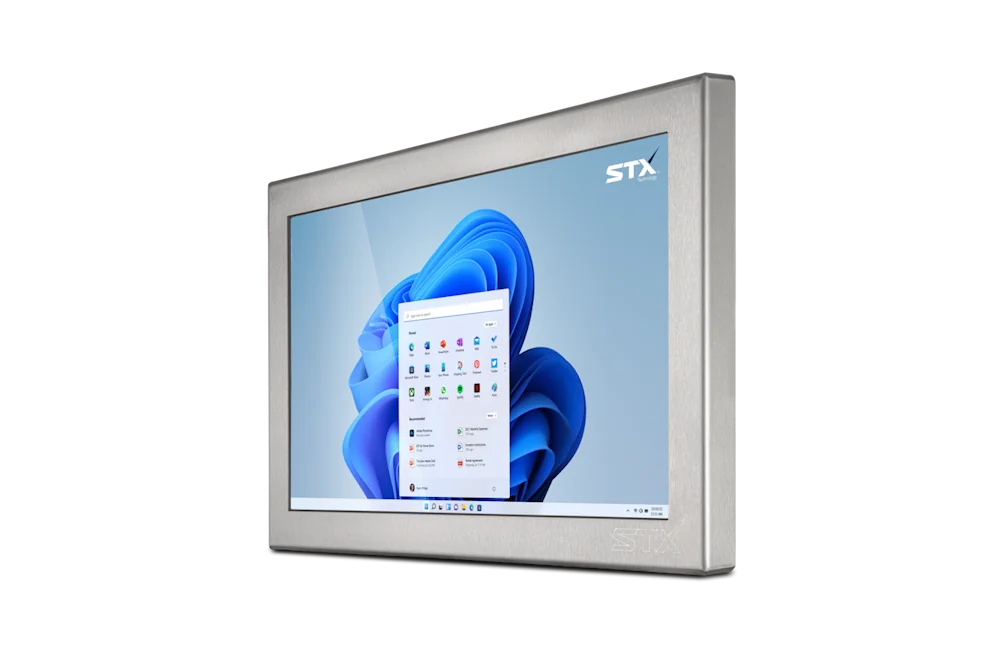
The three types
A panel PC is a complete computer behind a touch screen in one enclosure: processor, memory, storage and ports, with Windows, Linux or Android. It is the simplest install, one product and one power cable, and the usual choice for a stand-alone HMI, a weigh station or a workstation. A touch monitor is the same screen and enclosure with no computer inside; it takes video over HDMI, DVI, VGA or DisplayPort and sends touch back over USB (or RS232 as an option), from a computer within ordinary video-cable reach, in a cabinet beside the line or under the bench.
A KVM monitor is a touch monitor with a built-in extender: video and touch travel up to 100 m to the computer over one CAT6 network cable, so the computer lives in a control room or an electrical cabinet, away from the wash and the knocks. STX Technology writes the three as different model codes on the same size: X7515-C5-RT is the panel PC, X7515-M-RT the touch monitor and X7515-M-RT-KVM the KVM monitor.
Side by side
| Panel PC | Touch monitor | KVM monitor | |
|---|---|---|---|
| Where the computer sits | Behind the screen, in the enclosure | Nearby: a cabinet or under the bench | Up to 100 m away: a control room or cabinet |
| Cables to the screen | Power, network and the devices | Power, video (HDMI, DVI, VGA or DisplayPort) and USB or RS232 for touch | Power and one CAT6 cable |
| Operating system | Windows 11 IoT Enterprise LTSC, Windows 11 Pro, Windows 10 IoT Enterprise LTSC, Linux, or Android 13 on ARM | Whatever the connected computer runs | Whatever the connected computer runs |
| Touch | Resistive or PCAP | Resistive or PCAP; USB or RS232 touch | Resistive or PCAP (PCAP on the 32" and 43") |
| Model code | X7515-C5-RT | X7515-M-RT | X7515-M-RT-KVM |
| Sizes | 8.4" to 55" | 8.4" to 55" | 8.4" to 43" |
| Fits when | One screen, one job, no computer elsewhere | The computer already exists or must be swapped without touching the screen | The computer must stay dry, cool or locked away, or several screens share one computer |
Codes shown for the 15" X7500; every range writes the same pattern. Video-cable reach for the touch monitor depends on the cable type and is not stated by the range pages.
When a panel PC fits
Choose the panel PC when the screen is the computer's only job and nothing else needs to reach it: an HMI on a machine, a weigh-scale station, a label-printing point, a cowshed terminal. One product, one mount, one power feed, and the Core i5, Core i7 or Celeron processor, 8 to 40 GB of memory and 128 GB to 1 TB of industrial SSD are chosen on the range page. It is fanless, so the enclosure stays closed, and TPM 2.0 and network boot (PXE) are standard.
It also fits a thin-client plant. The same panel PC boots from the network with no drive or operating system of its own and runs as a ThinManager or web browser terminal, so the application lives on a server and the screen on the line is replaced like a monitor. That gives most of the KVM monitor's advantage, a computer that is really somewhere else, with the panel PC's single network cable, and is how many plants run twenty screens from one server room.
When a monitor or a KVM monitor fits
Choose a touch monitor when a computer already exists and must stay: a machine controller whose HMI licence is tied to it, a cabinet PC the integrator supports, or a brand you are replacing one screen at a time. The screen on the line gets the stainless enclosure, the IP66 equivalent rating and the glove-friendly touch; the computer stays where it is, within video-cable reach, and is upgraded later without touching the panel.
Choose the KVM monitor when the computer must be further than a video cable allows or must stay dry, cool and locked away: a wet floor whose PCs sit in a dry control room, a freezer with the computer outside, a cabinet 60 m down the line. One CAT6 cable carries video and touch up to 100 m, so the run is a standard network cable pulled by the plant electrician. The KVM monitor also works as a second screen for an X7300 computer, and several KVM monitors can show one computer at different points on a long line.
Quick answers
How far can a KVM monitor be from the computer?
Up to 100 m over one CAT6 cable, carrying video and touch. A touch monitor is limited to ordinary video-cable reach from the computer.
Can I buy the monitor now and add a computer later?
The touch monitor and KVM monitor have no computer inside, so you would pair them with a computer such as the XC2000 industrial PC. To get a computer behind the screen later you would change to the panel PC of the same size.
Which needs the least maintenance on the line?
The difference is where the computer is. A KVM or thin-client set-up keeps the computer out of the wash and the knocks, and makes the screen on the line a swap-out part; a panel PC is one product to look after but it is all on the line.
Do all three come in the same enclosure?
Yes. On each range the panel PC, touch monitor and KVM monitor share the size, the material, the IP rating, the touch options and the mounting; the model code records which type was fitted. @related Touch and KVM monitors=/products ;; Industrial panel PCs=/family-panel-pc ;; Industrial thin client=/thin-client ;; XC2000 industrial PC=/industrial-pc ;; Replacing a Beckhoff or Siemens panel PC=/guide/replacing ;; Glossary=/glossary